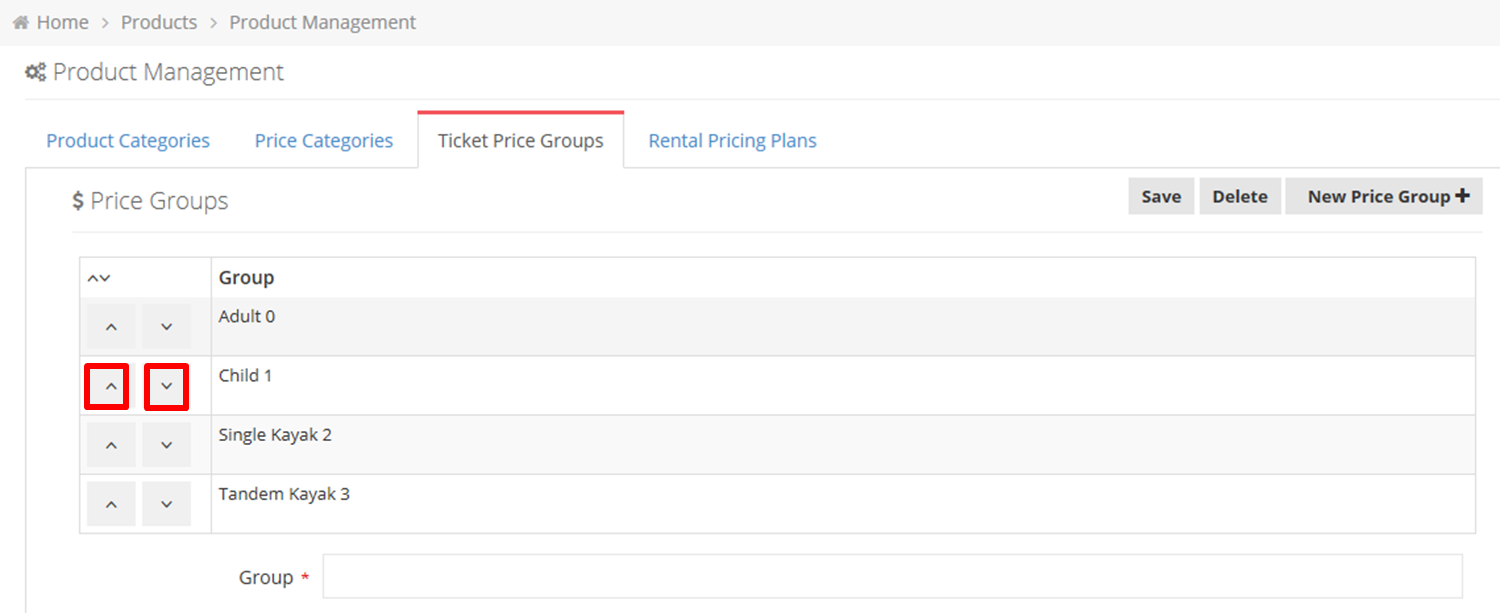
To reorder a Ticket Price Group on the POS, navigate to the screen below from the Home in RentItBiz, click on Products>Product Management and click on the Ticket Price Groups tab. Then click the category’s Up or Down button.

Modified on: Sun, 12 Mar, 2017 at 8:19 PM
To reorder a Ticket Price Group on the POS, navigate to the screen below from the Home in RentItBiz, click on Products>Product Management and click on the Ticket Price Groups tab. Then click the category’s Up or Down button.
Did you find it helpful? Yes No
Send feedback